Try something before you read any further.
Guess right now, off the top of your head how much you spend on subscriptions every month. Streaming, apps, music, cloud storage, the gym. One number.
Got it? Good. Hold onto it.
Because when researchers asked people that exact question, the average guess was about $86 a month. Then they checked what those same people were actually paying.
$219.
That’s a $133 gap every month, roughly $1,600 a year monthly bills that people didn’t know was leaving their account. Not because they’re careless. Because subscriptions are built, on purpose, to be forgettable.
This article is about finding that money and getting it back.
Why these monthly bills hide so well
There’s nothing mysterious about it once you see the design.
They’re small enough to scroll past. A $9.99 charge doesn’t register as money. Twelve of them do but you never see all twelve on one screen, because they hit on different dates.
Autopay removes the pain. When you hand over cash, it hurts a little. When a card auto-charges at 3 a.m., there’s no moment of decision at all. You never actively choose to pay again you just don’t stop it.
The billing name is deliberately unhelpful. “APPLE.COM/BILL” on your statement could be iCloud, Apple Music, and three apps you forgot about all rolled into one line.
And the trap almost nobody warns you about: the price you agree to at sign-up often isn’t the price you’ll pay.
I’ve watched this happen. Someone sees an offer a tiny charge, barely more than a rupee, or a dollar. It feels like nothing, so they tap yes. But that tiny amount isn’t the price. It’s just a verification charge to confirm the card and switch on auto-pay. The real amount arrives right after. Someone I know got caught by exactly this, and the real charge was large.
So before you sign up for anything, ask the obvious question: does this actually cost one rupee, or is that just the hook? Read what happens after the trial. That one minute of suspicion is the cheapest minute you’ll ever spend.
The other trap: the thing you signed up for and never used again
Here’s a pattern I know too well.
You’re scrolling. A clip from a series shows up. It’s good. You want to watch it so you take the subscription, watch the show, and finish it in a few days.
And then… nothing.
You tell yourself there’ll be something else on there. There usually isn’t or if there is, you never open it. The subscription just keeps running quietly in the background, month after month, paying for a show you already finished.
And here’s the part that stings: cancelling later doesn’t get your money back. Most services don’t refund. Cancelling only stops the next charge everything you’ve already paid is gone.
Which means the real decision isn’t at the exit. It’s at the entry. Before you subscribe, ask honestly: am I taking this for one show, or will I actually use it? If it’s for one thing, set yourself a reminder to cancel the day you’re done because you won’t remember on your own.
Step 1: Find every subscription (this is the whole game)
You cannot cancel what you can’t see. So before anything else, go hunting. There are five hiding places, and most people only ever check one.
1. Your bank and card statements.
Download 2–3 months (12 if you can annual subscriptions only show up once a year, which is exactly why they survive). Scan for charges that repeat with the same amount, same merchant. Pay special attention to anything between $5 and $20 that’s the sweet spot where subscriptions live.
2. Your phone’s app store — the biggest blind spot.
- iPhone: Settings → tap your name at the top → Subscriptions
- Android: Google Play → tap your profile photo → Payments & subscriptions → Subscriptions
⚠ Deleting the app does NOT cancel the subscription. This is the single most expensive misunderstanding people have. That app you deleted eight months ago may still be charging you every month. Google says it plainly: uninstalling doesn’t cancel anything.
3. PayPal.
Settings → Payments → Automatic payments (sometimes “Subscriptions and saved businesses”). PayPal charges show on your bank statement as “PAYPAL *SOMETHING” with a mangled name you’ll never identify them from the bank line alone. And cancelling on the company’s website doesn’t always stop the PayPal charge. You have to kill it inside PayPal too.
4. Your email inbox.
Search for: receipt OR invoice OR subscription OR renewal OR billing. Your inbox is the most complete record you have it goes back years and covers cards you don’t even use anymore. This is also the only way to catch free trials that haven’t charged you yet.
5. Anything billed yearly.
Antivirus, cloud storage, domain names, Amazon Prime. They hit once a year, so they never build a habit of being noticed. Search your email for “annual” or “renew.”
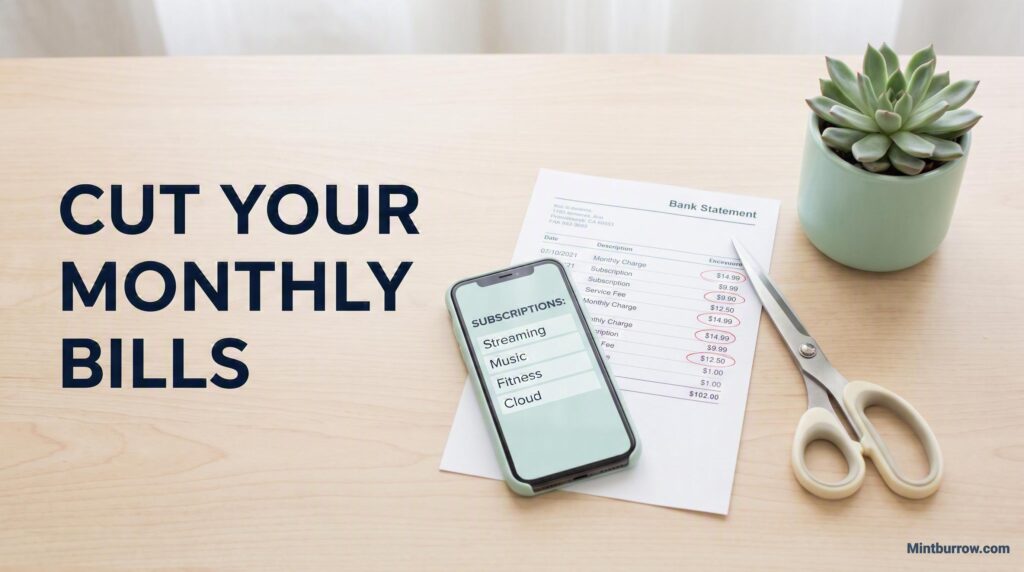
Write every single one down. Amount, what it’s for, when it renews. Seeing the total in one place is often shock enough to make the rest of this easy.
Step 2: Decide kill, pause, or keep
Go down your list and ask one question about each: have I used this in the last 30 days?
Kill it now:
- Anything you haven’t opened in a month or more
- Free trials that quietly turned into paid subscriptions
- The service you subscribed to for one show or one task
- Duplicates (two music apps, three cloud storages)
Pause it: Some services let you pause instead of cancel. Good for things you genuinely use seasonally.
Keep it: Anything you use weekly, or that clearly earns its cost replacing a bigger expense, or doing a job you’d otherwise pay more for.
That last one deserves a moment, because “keep” isn’t a dirty word.
How I decide what’s worth paying for
I only pay for one subscription right now. Not because subscriptions are evil but because I put every one through the same three questions:
Is it value for money? Does it give me something I genuinely couldn’t get cheaper or free somewhere else? For the tools I use for research and work, the answer is yes what I get from them, I couldn’t get free anywhere.
Is it easy to get? If I could get the same thing more easily somewhere else, I’d go there instead. Loyalty isn’t a reason to keep paying.
Is it easy to use? A thing you pay for and find annoying to open is a thing you’ll stop opening.
And here’s the part people get wrong: this answer is different for everyone. A student who genuinely studies from an online course app should keep paying for it. Someone who gets everything they need from a free tool shouldn’t pay for the fancy one just because it exists. The subscription isn’t good or bad it’s either doing a job for your life or it isn’t.
Be honest about which. Nobody else can answer it for you.
Step 3: Attack the bigger bills too
Subscriptions are the easy win. But the big recurring bills internet, phone, insurance are where the real money hides, and most people never even try.
Call and ask. In the US, this genuinely works: internet and cable customers who call and ask usually get somewhere. Reported success rates run around 70–85%, and savings of $10–$40 a month are normal. That’s up to $480 a year for one phone call.
The trick is to reach the retention department (also called “loyalty”) not general support. Say you’re thinking about cancelling, and they’ll route you there.
Roughly what to say:
“Hi, I’ve been a customer for X years and I’ve always paid on time. My bill has gone up to $___, and I’ve been looking at other providers. Before I decide anything, could you put me through to the retention department?”
Then, to retention:
“I’d rather stay, but I’ve been quoted $___ elsewhere for similar service. I need to get closer to that. What can you do for me?”
And then stop talking. Let the silence sit. Let them fill it with an offer.
Before you hang up: get the new rate, how long it lasts, what it goes back to afterwards, and a reference number for the call.
Other bills worth attacking:
- Phone: smaller carriers run on the same towers for a fraction of the price. Check coverage in your area first, then switch.
- Insurance: shop it. Consumer Reports found people who switched car insurers saved a median of about $461 a year. Ask your current insurer what discounts you’re missing before you go.
- The gym: if you haven’t been in six weeks, you’re not a member. You’re a donor.
- Streaming: stop stacking. Subscribe to one, watch what you want, cancel, move to the next. You get most of the content for a fraction of the cost.
Step 4: Move the money or you saved nothing
This is the step everyone skips, and it makes the other three pointless.
If you cancel $80 a month of subscriptions and do nothing else, that $80 will quietly get absorbed into your normal spending within about two months. You will not feel richer. You’ll just spend it somewhere else, and you’ll have nothing to show for the afternoon you spent cancelling things.
So the same day you cancel, move the money.
Set up an automatic transfer for the exact amount you freed up straight into savings, or straight at a debt. Make it leave your spending account on payday, before you can touch it.
That’s what turns “I cancelled some stuff” into actual money. $80 a month, moved and left alone, is a $1,000 emergency fund in a year.
Do this today, not someday
You don’t need a whole afternoon. Here’s the short version:
- Open your phone’s subscriptions screen. Right now. Cancel anything you haven’t opened in a month.
- Check PayPal’s automatic payments.
- Pull up last month’s bank statement and circle every repeating charge.
- Add up what you cancelled and set up a transfer for that exact amount tomorrow.
Then put a reminder in your calendar to do this again in six months, because they creep back. They always creep back.
The money was already yours. You were just paying rent on things you’d stopped using.
Want help spotting where the rest of your money goes? Our free printable Budget Planner has a spending tracker built in drop your email below and I’ll send it over.